Update Internal Visualiser
When fixtures are first patched, their position data is not sent to Titan — only their patch (universe/address) and mode. Use Update Internal Visualiser afterwards to bring the fixture positions from the MVR file into your showfile.
Update Internal Visualiser Window
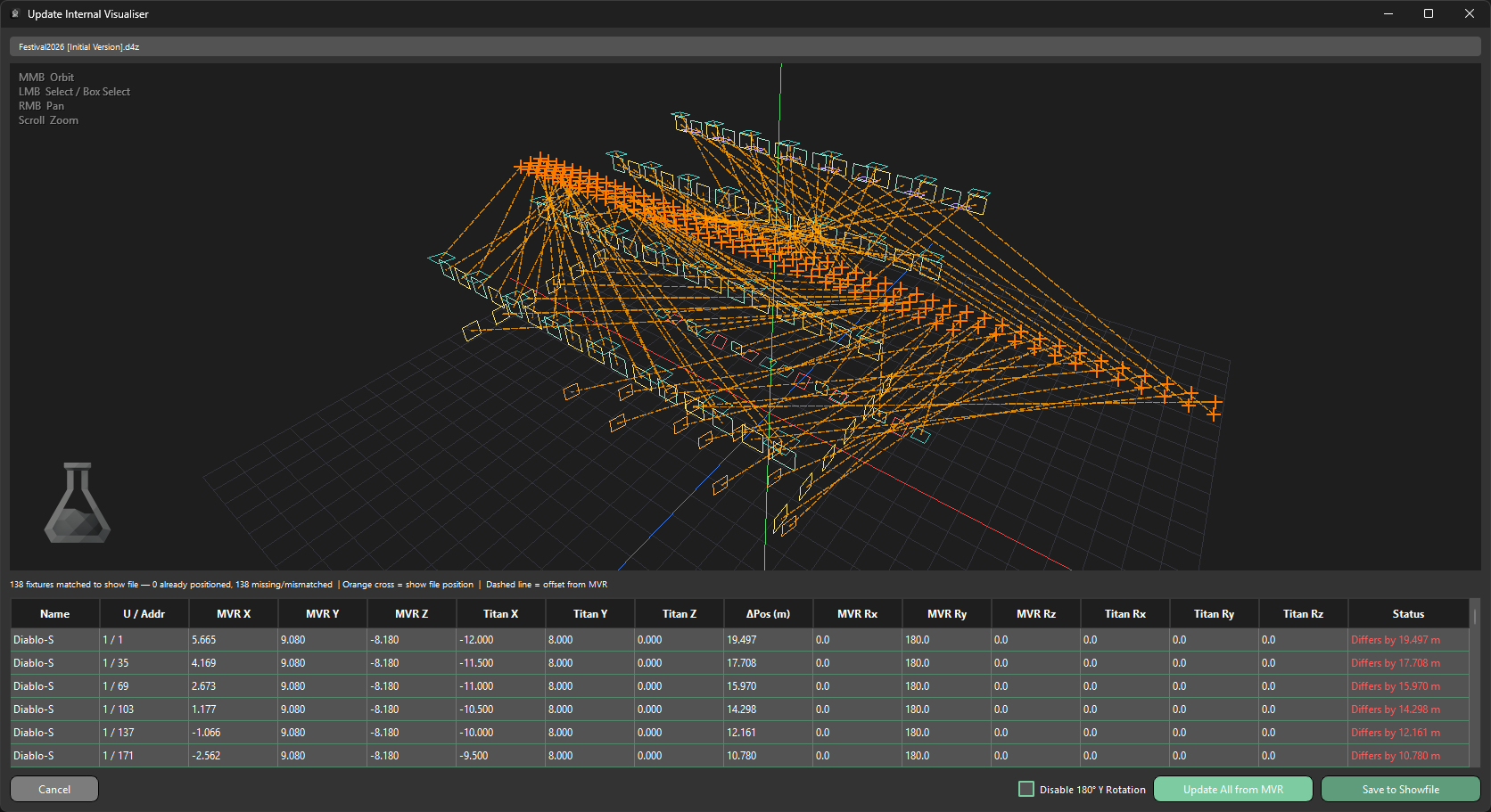
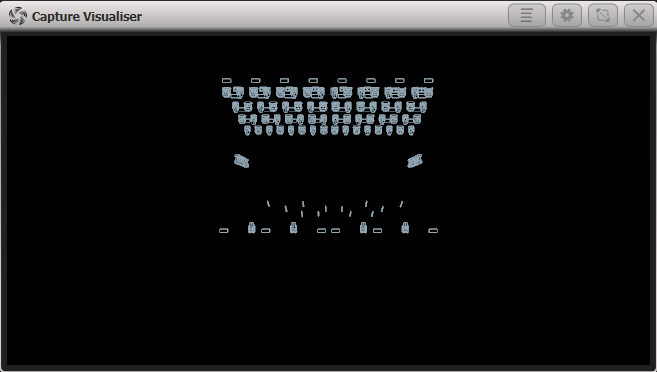
This shows the offset between each fixture's MVR position and its current Titan position. The Capture Visualiser in this state can be seen in Fig A, in Result in Capture Visualiser below.
The top of the window displays the showfile you have selected.
3D Wireframe View
Below this is a 3D wireframe view, showing a basic representation of the fixture positions that are about to be set up.
Key
| Symbol | Description |
|---|---|
| Orange cross | The showfile position — the position assigned by Titan when patched, or a previously set up visualiser position |
| Dotted line | The offset from the MVR position |
Fixture Summary
Below the wireframe, a summary label displays:
- How many fixtures are matched to the showfile
- How many fixture positions have been set
- How many fixtures are missing or mismatched
Information Table
Below the fixture summary is a table containing all of the information for each fixture, along with the offsets required to match their positions and rotations between the showfile and the MVR file.
| Column | Description |
|---|---|
| Name | The fixture name |
| U / Addr | The universe and address of the fixture |
| MVR X | The X position as defined in the MVR file |
| MVR Y | The Y position as defined in the MVR file |
| MVR Z | The Z position as defined in the MVR file |
| Titan X | The X position as set in Titan |
| Titan Y | The Y position as set in Titan |
| Titan Z | The Z position as set in Titan |
| ΔPos (m) | The positional offset between the MVR and Titan positions |
| MVR RX | The X rotation as defined in the MVR file |
| MVR RY | The Y rotation as defined in the MVR file |
| MVR RZ | The Z rotation as defined in the MVR file |
| Titan RX | The X rotation as set in Titan |
| Titan RY | The Y rotation as set in Titan |
| Titan RZ | The Z rotation as set in Titan |
| Status | Indicates whether the fixture positions have been synced |
Once the Update All From MVR button is pressed, the offset lines in the wireframe view change to reflect the updated positions, as the Titan fixtures have now been moved to match the MVR. As you can see, the origins are inverted on the Y axis when merged — this is the default behaviour, but can be disabled by checking the Disable 180 Y Rotation checkbox at the bottom of the window.
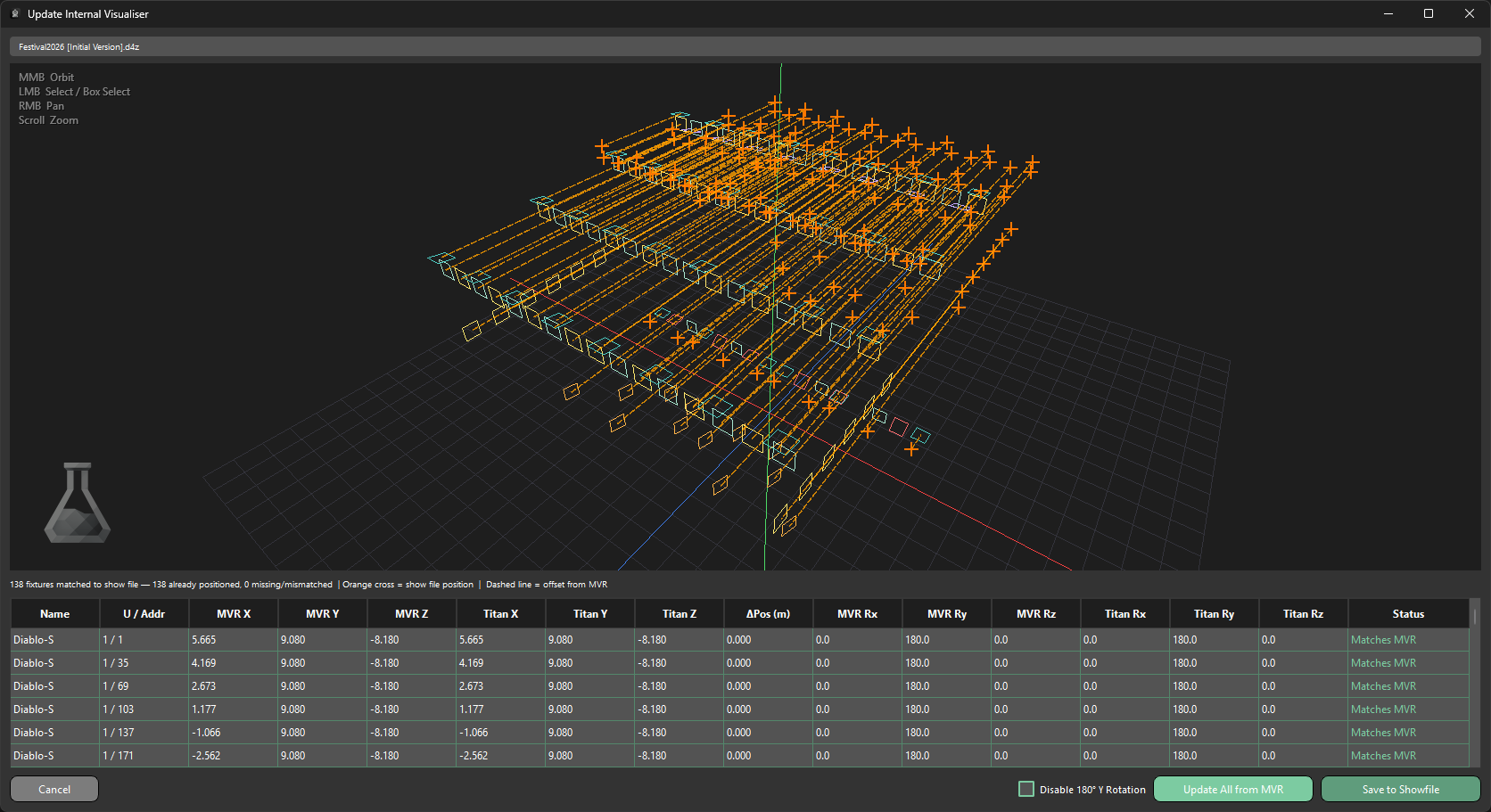
Once you press Save to Showfile, a duplicate of the showfile will be stored with MVR Positions as a prefix. The Capture Visualiser in this state can be seen in Fig B, in Result in Capture Visualiser below.
MVR Fixture Importer will never overwrite a showfile.
Result in Capture Visualiser
Before Update Internal Visualiser is used, fixtures appear in Titan's own Capture Visualiser at their patched-in default positions.
Fig A
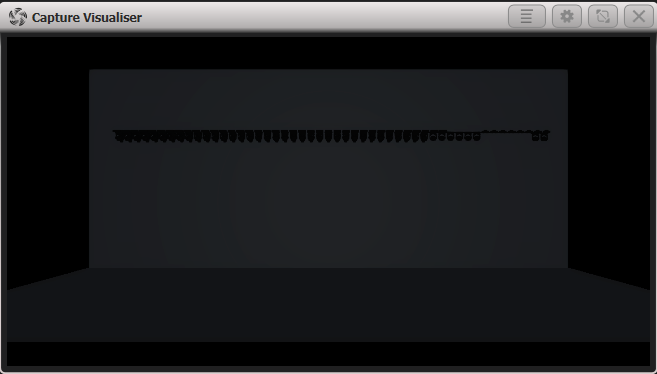
After opening the showfile saved by Update Internal Visualiser, fixtures appear in Capture Visualiser at their correct positions from the MVR file.
Fig B