OSC Listener
Overview
OSC Listener receives OSC (Open Sound Control) messages over the network and maps them to controls on a Titan console — playback faders, masters, macros, and more. Converted values can optionally be sent back out over OSC to another device, making it possible to drive Titan from lighting desks, media servers, show control systems, or any other software or hardware that speaks OSC.
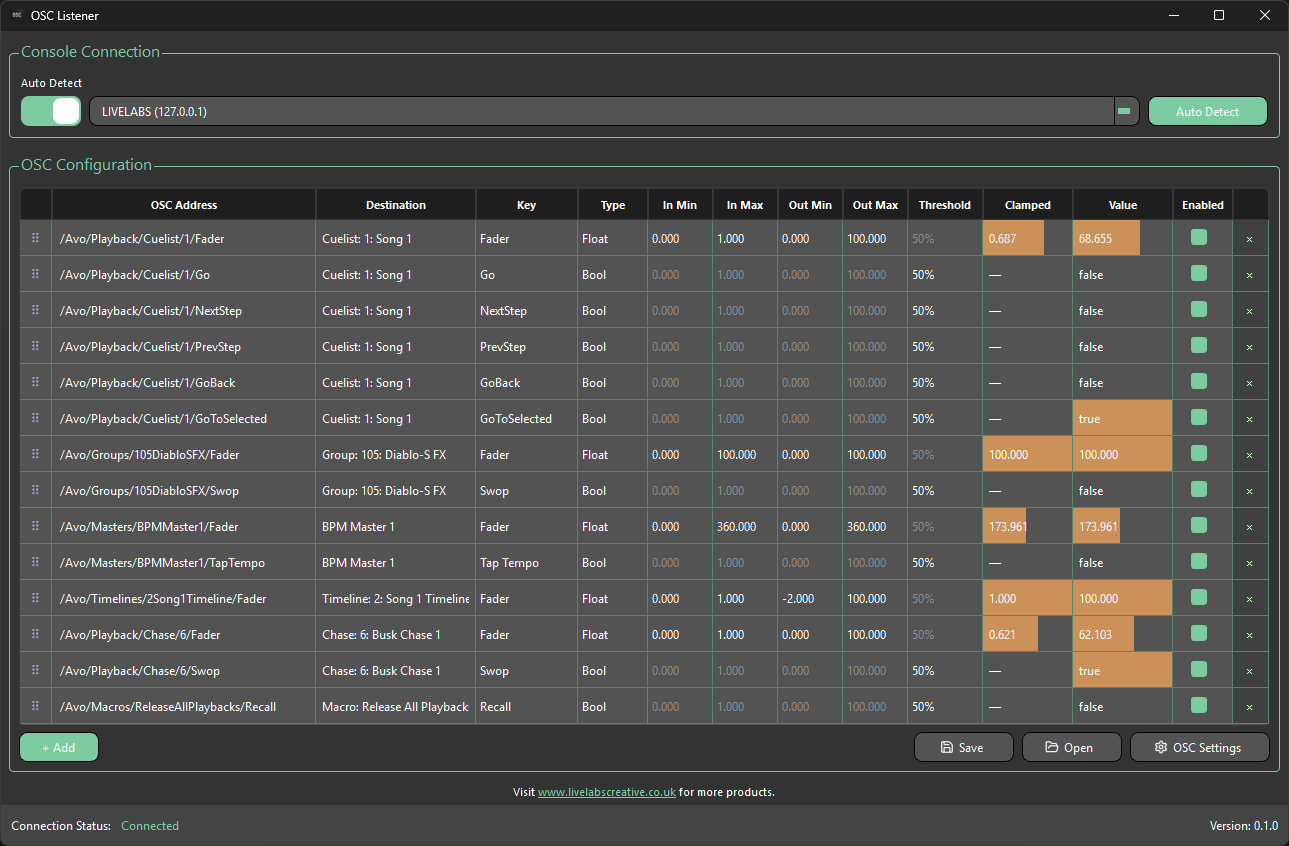
OSC Listener connects to Titan the same way as the other Livelabs Creative apps. See Connecting to Titan for details.
Typical workflow
- Create elements in Titan, like playbacks, masters, and more
- Connect OSC Listener to your Titan console
- Click + Add and find the element you want to control
Only elements that were in the showfile when the connection was established will be listed. If OSC Listener is already connected and new elements are added in Titan, you will need to connect to the console again to pull the new data.
- Set ranges
- Repeat until done
- Start receiving OSC
OSC mappings are showfile-specific and cannot be shared between showfiles.